


















MAP VETO
This is where you host the map ban phase for each match. We recommend Event mode (selected at the top right) to allow captains of both team to select themselves. 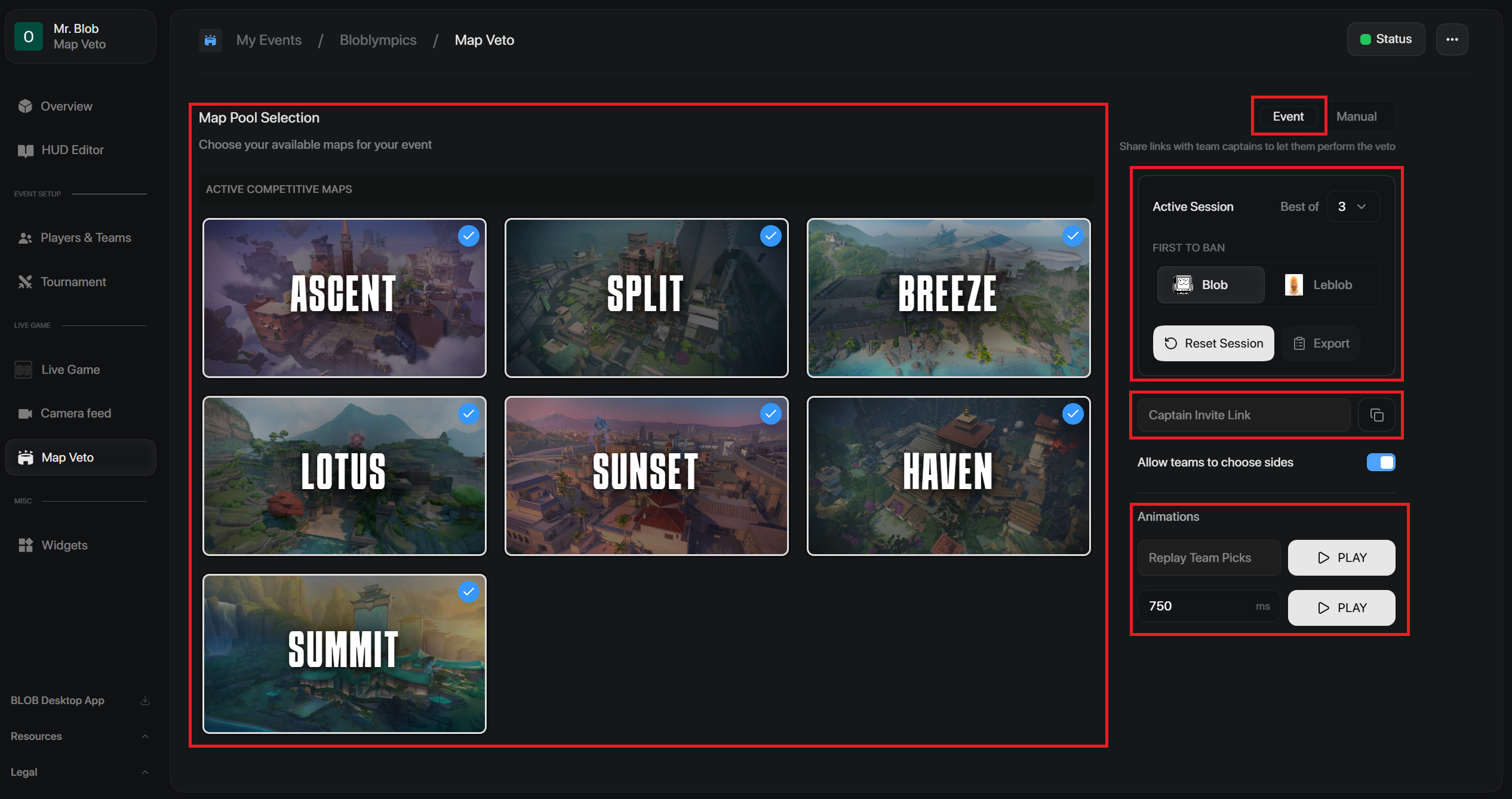 Edit the map pool selection to choose what maps are available for the event. Select what the game will be played best of, and select which team gets the first ban. Copy the Captain Invite Link, and send it to the captains of each team, this will lead them to a map voting page. Toggle whether or not teams get to choose sides in the map they pick.
If you would like to manually select the map bans. Select Manual on the top right.
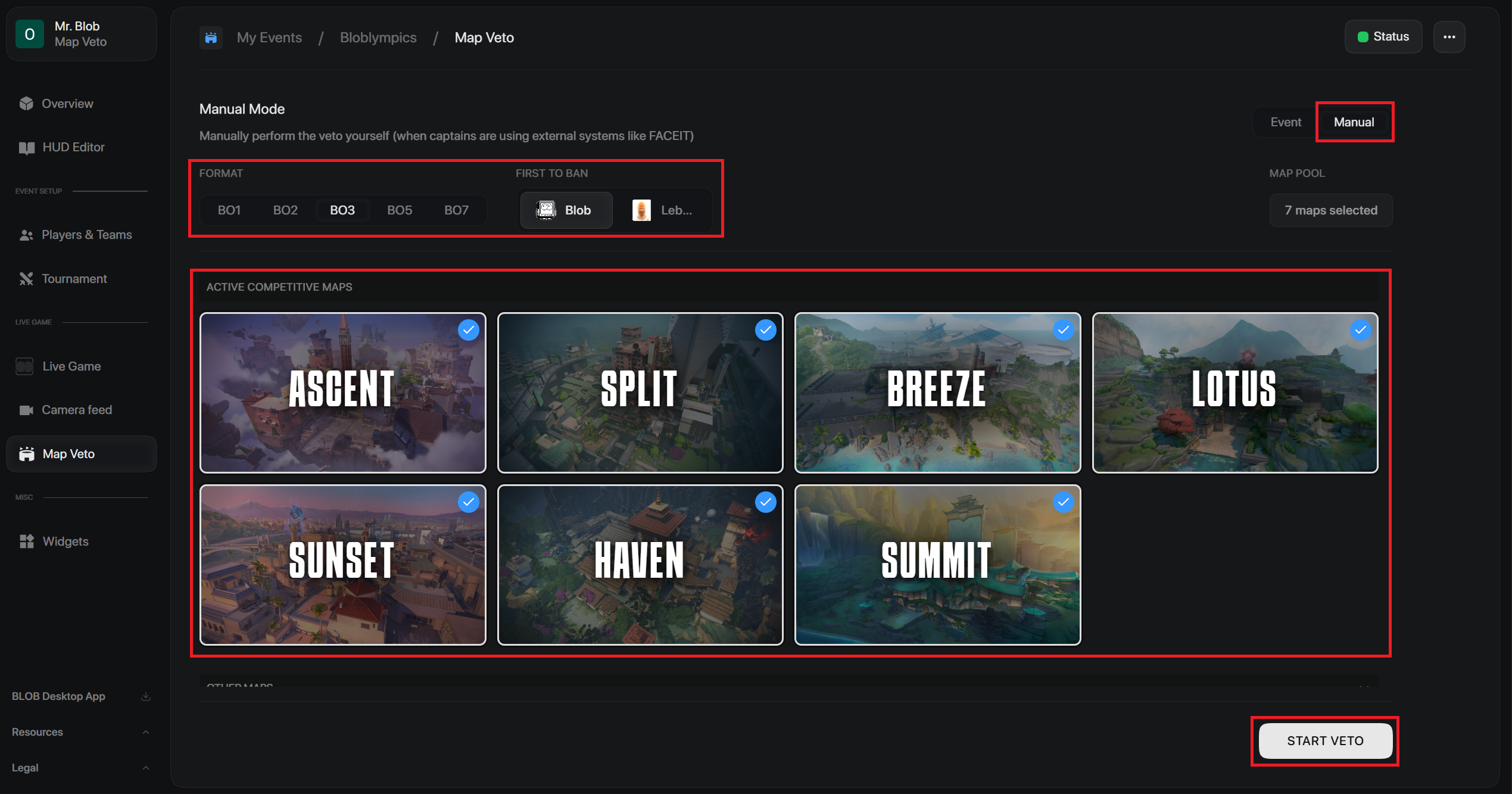
Similarly, select what the game is Best Of and which team was first to ban. Select which maps are available in the event. Click Start Veto to start the map ban. 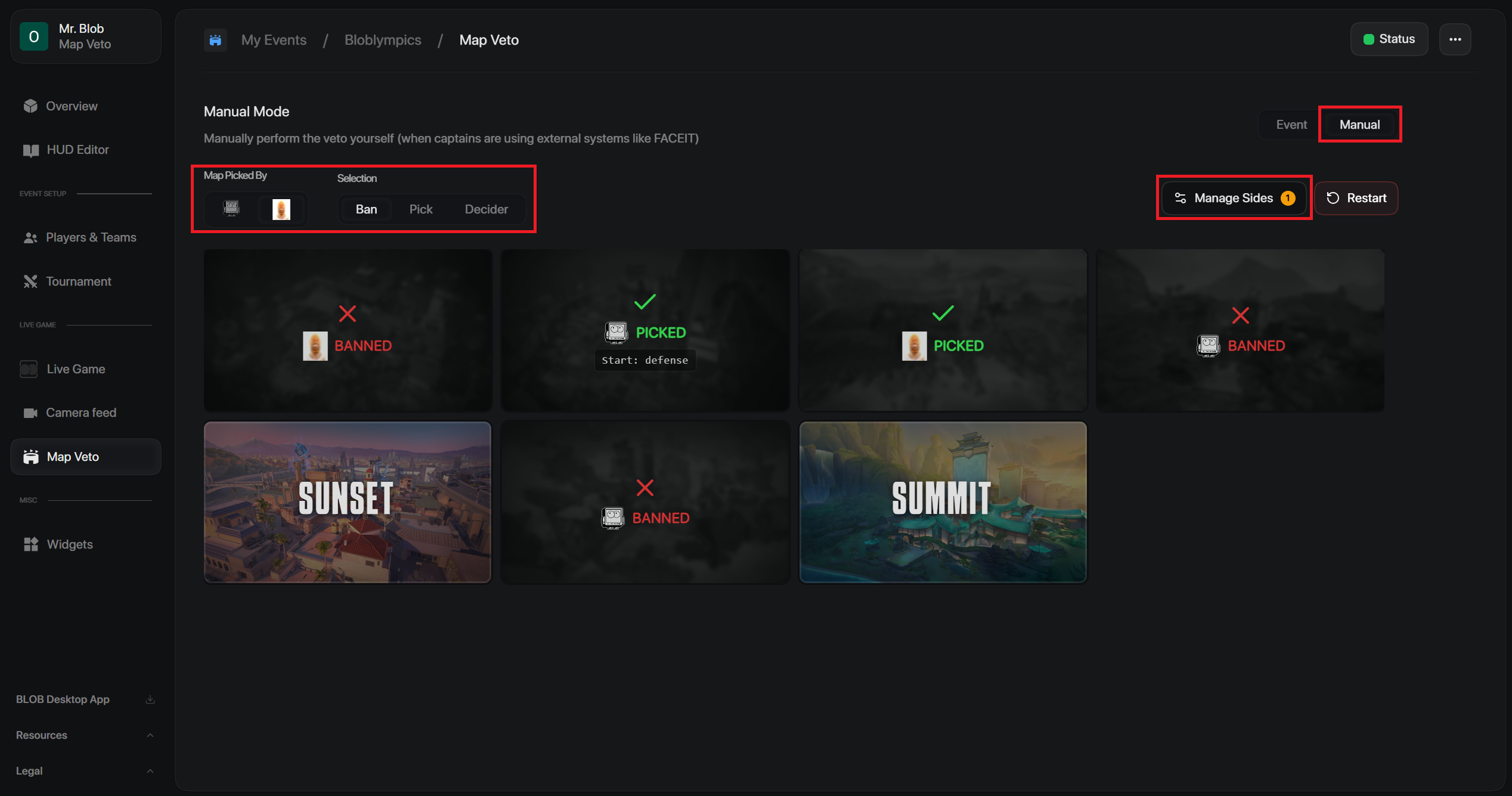 Here is where you process the bans. Select the team making the action, and then select the action (Ban | Pick | Decider). Click onto the specific map to enable the action.
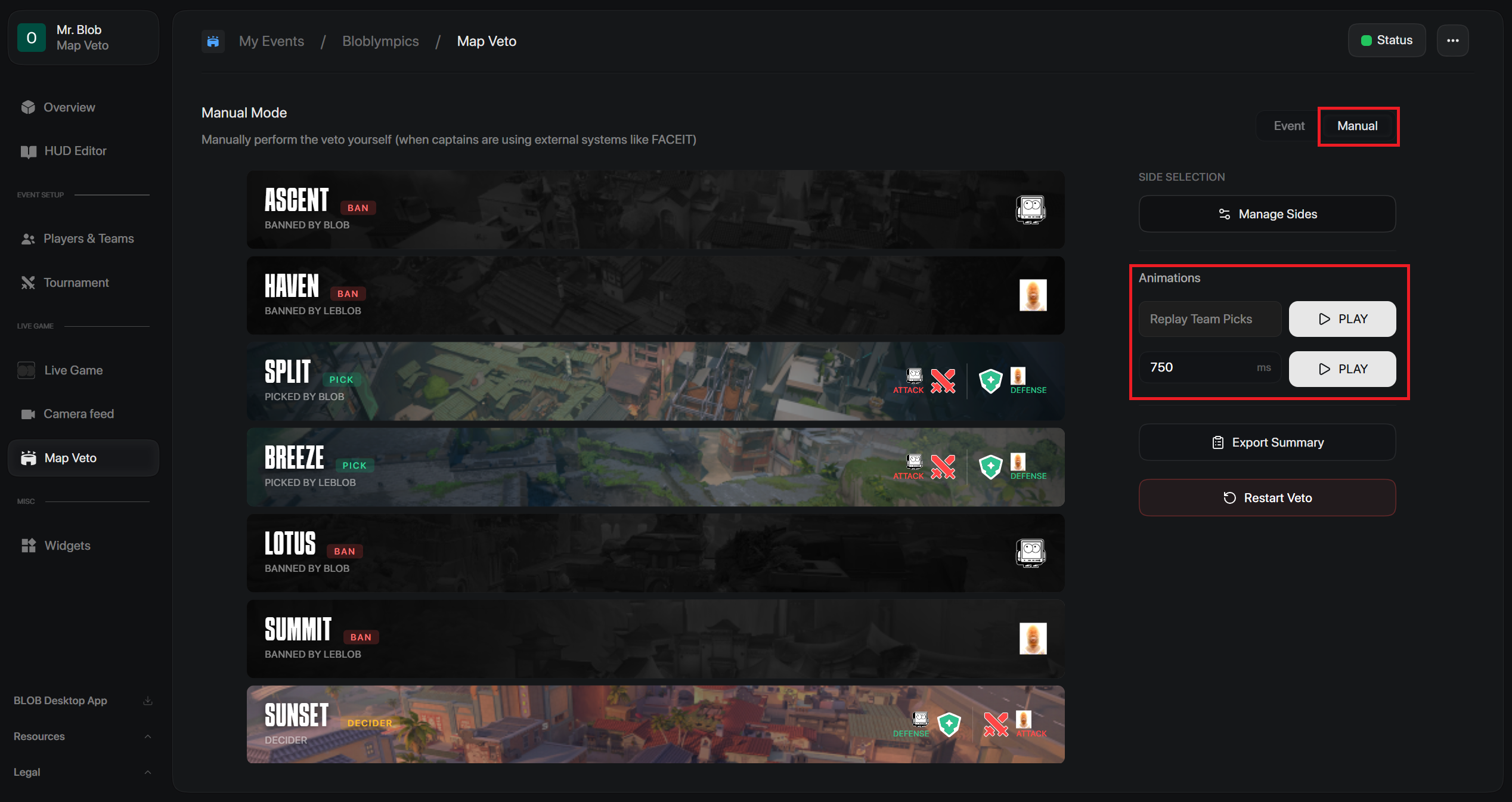
Animations
This is where you select the speed at which map bans occur.
Replay Team Picks – Replays each team's map picks in the same order and timing as they originally happened.
750 ms – Sets the time between each map pick animation. Higher values make the replay slower; lower values make it faster.