











CAMERA FEEDS
Webcam Setup Guide
First ensure teans are filled out with all player IDs in Players and Teams Tab.
Internal Source
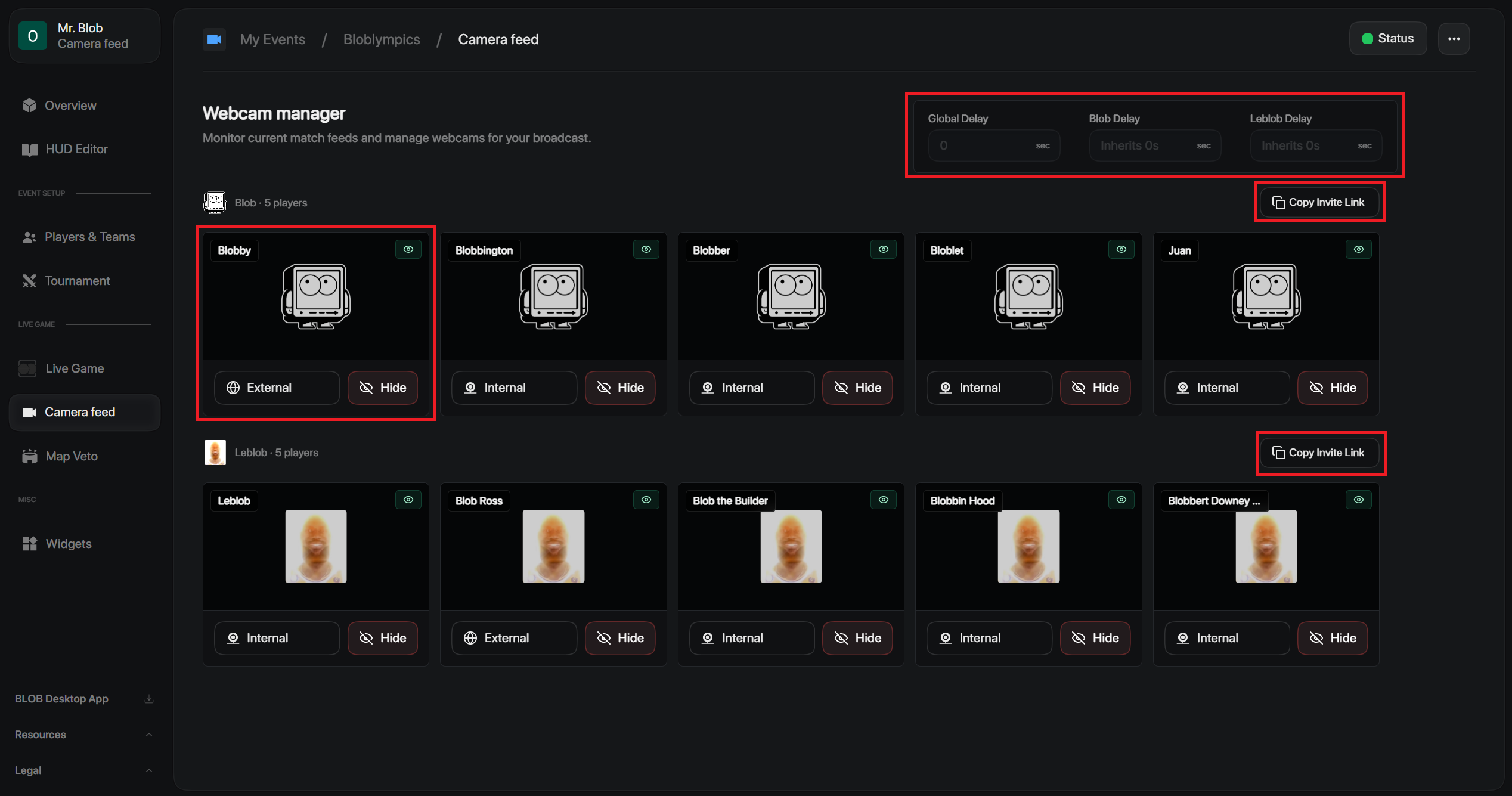
Players upload their camera or virtual camera directly to BLOB’s dedicated webcam link.
- Copy the invite link next to each team name and send it to the players.
- Players open the link to join using:
- Webcams
- Virtual cameras
- VTube models
- Static PNG images
External Source
Players send a virtual camera link from external software (e.g., VDO.Ninja).
Extra
- Adjust Delay: Set camera delay globally or fine-tune it per team to sync with your stream latency.
- Manage Feeds: Manually hide, edit, or swap individual player feeds as needed.