





PLAYERS AND TEAMS
Mega Manager
Create and manage all of the teams and players participating in your event.
Note:
This is not required for the overlays to work. This is mainly for events hosting large number of teams or looking to use webcams.
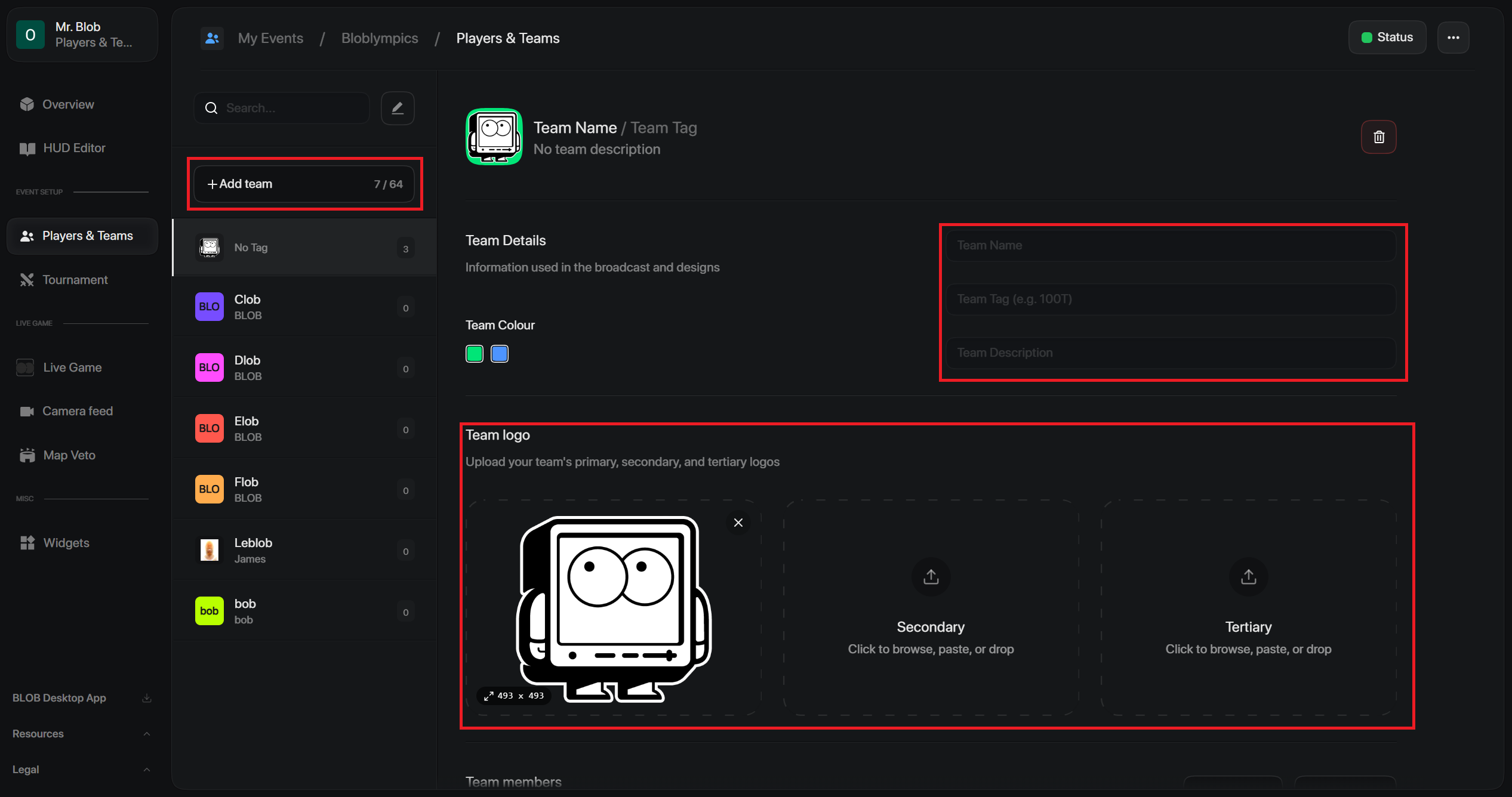
Click Add Team to create a new team preset. Within each team, you can edit:
- Team name
- Team tag
- Description
- Team colour
- Team logo
Scroll to the bottom of each team to manage its players.
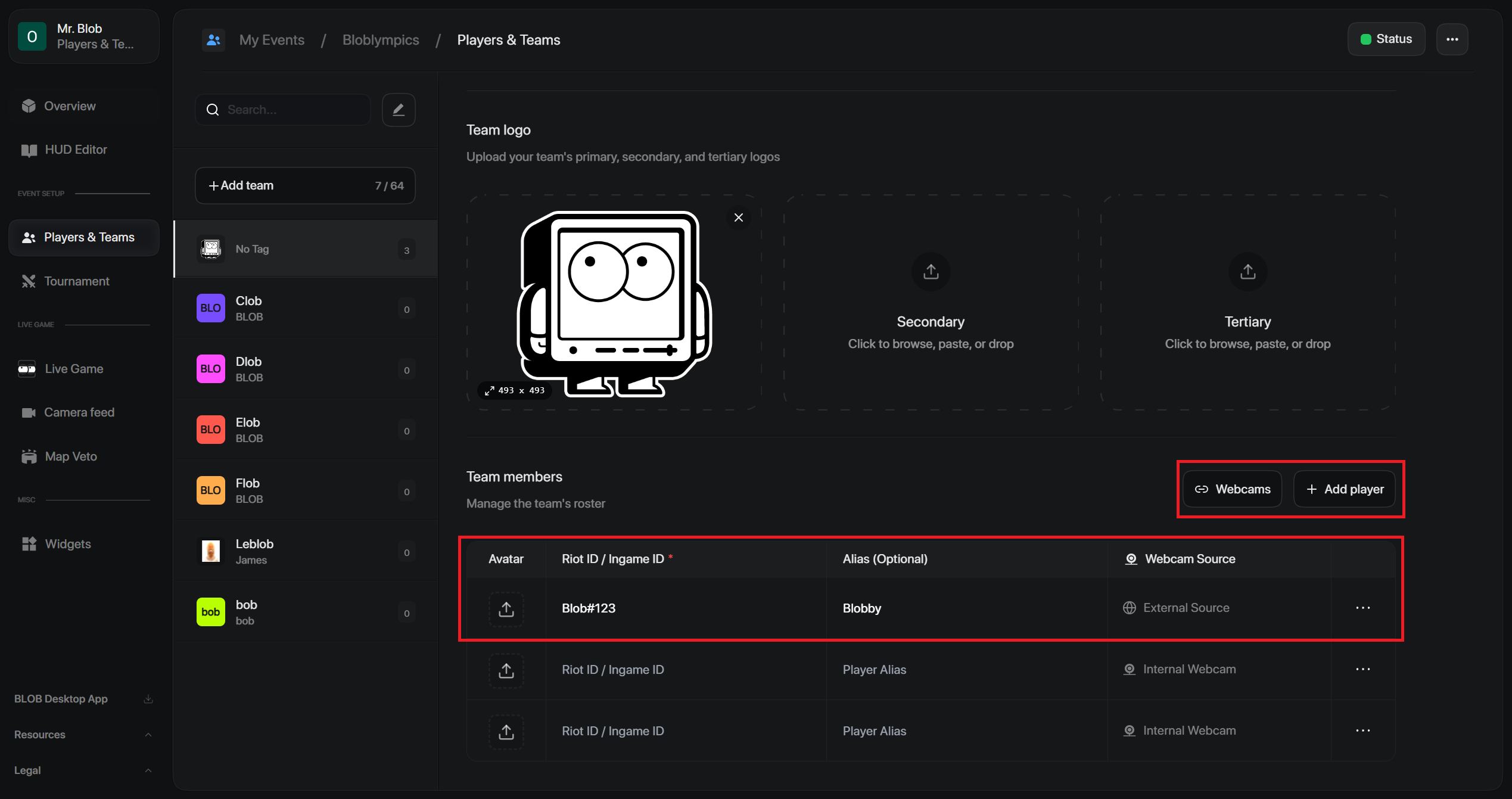
- Click + Add Player
- Enter their in-game ID.
- Enter player's alias and avatar.
Webcams
Internal source is where they upload their camera/virtual camera directly to BLOBs dedicated webcam link.
External source is where they can send a virtual camera link from an external software (e.g. VDONinja).